About ClassPhoto Suite
Made by people
who shoot picture day.
We are two sisters who run a school photography studio in San Diego, and we built the ClassPhoto Suite for the week of production that follows our own picture days. Here is who we are, why these five tools exist, and how to reach an actual person.
Who
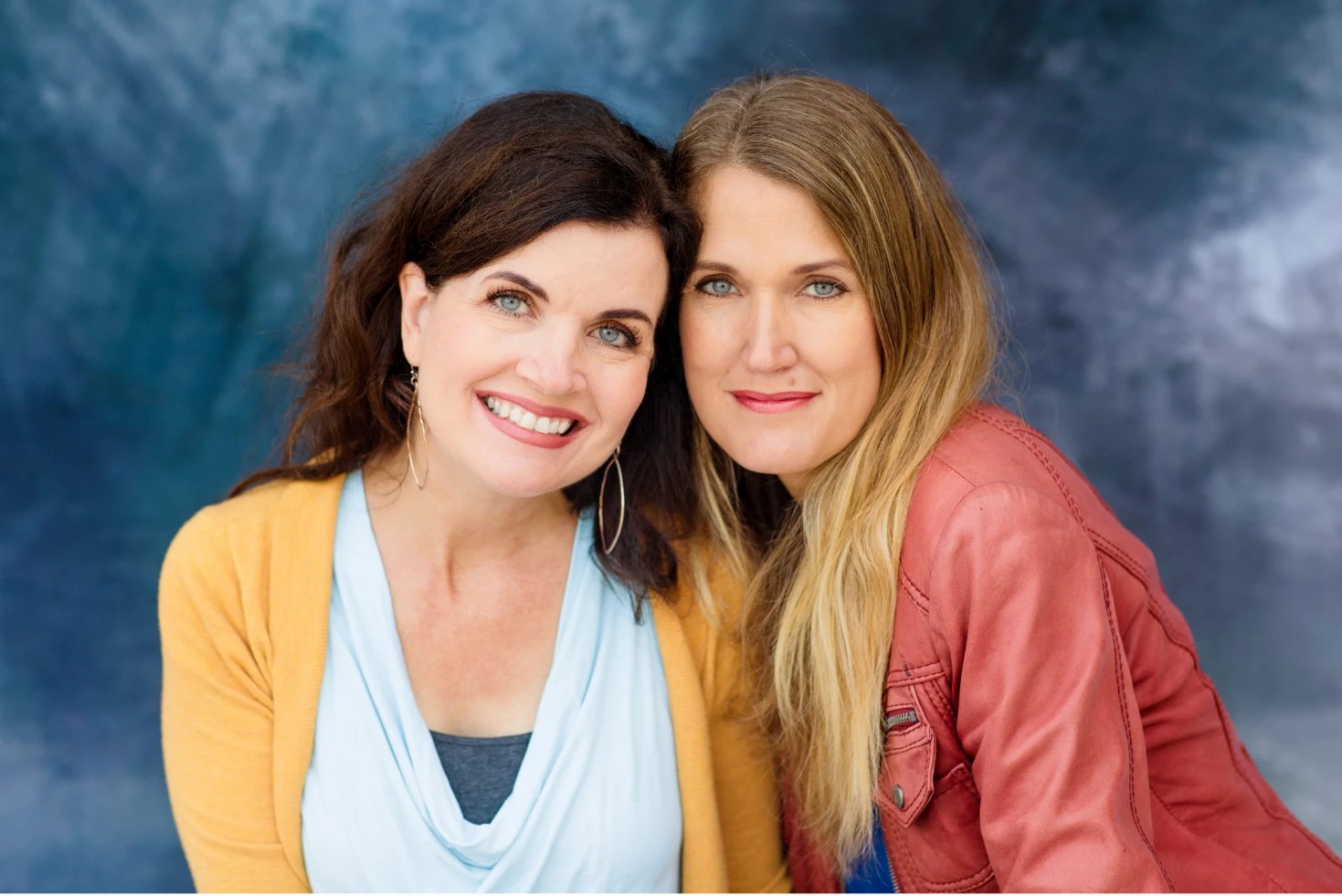
Two sisters, one studio.
We are Amy Gray and Melanie Monroe, sisters and business partners at Patriot Photo Collective, a school photography studio in San Diego, California. Our studio photographs about 4,000 students a year. The Dead Pixels Society, a trade publication for the photo imaging industry, wrote about us in August 2026.
That is the part that matters most about who wrote this software: we are the ones who have to use it, the week after our own picture day, on our own studio's jobs. A feature that does not survive contact with a real GotPhoto export, a real messy roster, or a real front-office deadline does not ship.
"Production side of school photography" is the phrase you will see across this site, and it means exactly what it sounds like: everything that happens after the shutter clicks. Composites, sticker sheets, ID cards, the bound directory, and the roster spreadsheet a school emails over, none of it is the photography itself, and all of it has a deadline. That is the part these five tools are for.
Why these five
One production problem, then four more.
The first tool was a fix for our own production problem: turning a GotPhoto export into class composites without a spreadsheet evening in between. That one tool grew into five, each aimed at one thing a school asks for after picture day: class composites, service stickers, student ID cards, the bound school directory some schools call the mug book or the principal's book, and a roster cleaner that turns whatever spreadsheet the school sent into what GotPhoto's names list actually wants.
Today that is ClassPhoto for class and whole-school composites, ServiceStix for service sticker sheets, ClassPhoto IDs for student and staff ID cards, the Principal's Book for the bound school directory, and List Fixer for the roster cleanup. Bought separately, the five add up to $315 a year; together, as the ClassPhoto Suite, one key opens all five for $199 a year introductory.
Four of them read the export a school photography job already produces, and List Fixer works one step earlier on the roster the school sent; all five run in a browser instead of asking you to install anything, and upload nothing. The browser was not an aesthetic choice: it means the same tool opens on whatever computer is in the studio that week, Mac, Windows or Chromebook, instead of being tied to one operating system. See Privacy for schools for exactly what "uploads nothing" means and how to check it yourself, or open the sample mode and try one on a real export before you ever enter a card number.
One more tool came out of the same studio, and it is deliberately not one of the five. Ruler is a Mac app that batch-crops a picture day and sizes every crop from the child's face, eyes to chin, so every portrait comes out the same size. It works before the export rather than after it, it is installed on a Mac rather than opened in a browser, and it keeps its own name, its own site and its own license. A Suite key does not open it, and nothing in the Suite needs it.
How we test them
Built to survive the awkward school, on purpose.
Every change runs against automated tests before it ships: synthetic schools built to be awkward on purpose, with names that break simple parsers, duplicate kids, missing photos, and export folders shaped like the messy real ones rather than a tidy example. Across the five apps that is more than 2,000 automated checks, and many of them read the finished export back to confirm what actually came out, not only what the code was supposed to produce. ClassPhoto IDs, for one, decodes every barcode a second time before it is allowed into an export.
That distinction matters most in exactly the week you have no time to debug software: the week after picture day, with a school waiting on proofs.
What we will not say
No invented compatibility.
We do not claim compatibility we have not tested, but Captura is now tested. ClassPhoto IDs runs its test suite against a real, anonymized Captura Workflow export (a 267-row master index plus thirteen per-teacher copies, 263 photos), ServiceStix was checked end to end on a real 263-photo Captura job, and ClassPhoto and the Principal's Book read the same index: the student ID where the guidelines put the home room, the per-teacher copies of the index, the __NO_TEACHER__ folder and staff filed as grade 13. PhotoDay is the honest gap: we have a PhotoDay-shaped test file, not a real export. If your export comes from PhotoDay, or from a platform we have not named, send us a sample and we will tell you honestly whether it works, rather than guess in your direction and let you find out the hard way during a busy week.
What we will say: ClassPhoto Suite is built for the GotPhoto export, and works with it out of the box, because that has actually been tested against real export shapes. What we will not say is that GotPhoto, PhotoDay, Captura or anyone else has endorsed ClassPhoto Suite, or that we have any special arrangement with them. There isn't one. A claim about what an app does, anywhere on this site, is something we can point to, not something we hope is true.
Say hello
Reach an actual person.
Support is answered by the two of us, usually within two business days. It is not a support queue forwarding your question along; it is the people who wrote the software and shoot school photography with it. Write to us with a question, a broken export, or a feature you wish existed. If you are trying to decide whether a tool will work with your setup before you buy, that same form is the fastest way to find out honestly, rather than guessing from a features page. If you would rather watch than read, there are short walkthroughs on the videos page and on YouTube.