ClassPhoto · $89 a year
Class composites from your GotPhoto export,
finally made easy.
Drop in the export, pick a background, add the logo, and every class in the school builds itself. When a name is wrong or a retake lands late, you fix it on the finished layout instead of renaming files and importing the whole class again.
$89 a year. Unlimited composites. Use on 2 computers. Free sample mode: the real app on your real zip, SAMPLE watermark, up to two classes.
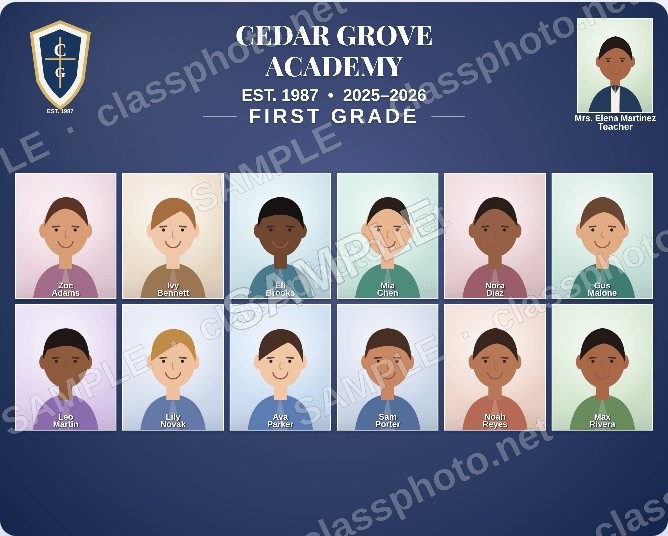
Want to try one first? Every ClassPhoto tool includes a free sample mode. No account needed.
Sample output is marked SAMPLE: a watermark across the pages, cards and stickers, and List Fixer's sample files hold the first ten students. Already licensed? The same links open your app.
What it does
Composites for every class, and one for the whole school.
ClassPhoto reads the zip GotPhoto hands you, or a PSPA export from any lab, and sorts every student into the right class. When there is an Index.txt or roster CSV inside, the names, grades and teachers come straight from it, spelled the way the school spells them, and each child's class comes from the index too, so the folders do not have to be tidy; without one, the class folders define the classes and the names come off the filenames. From there the page is yours: a stock background or one of your own, your studio or school logo, up to six header spots for the principal, the superintendent or an aide, and the class teacher matched to each class automatically.
Press generate and every class builds at once. You get print-ready JPEGs at the size your lab wants and PDF proofs you can email the office for a name check before anything goes on paper.
It also does the composite everybody dreads: one extra page with every student in the school, which is what the lobby frame and the yearbook endpaper need. Print it 16 x 20 inches, what the app suggests from about 150 students up, or 11 x 14 for a small school; a bigger school still fits on the one page, the portraits just print smaller.
Coming from QComposite? Read the side-by-side comparison, see how the class composite tools compare, or follow the GotPhoto workflow guide.
The workflow
Three steps. That's it.
Nothing to install. Open the page, work, close the tab. It saves itself as you go.
Upload your zip
Export your class photos from GotPhoto, or any system that gives you a zip with class folders or a PSPA index inside, and drop the zip right in. One zip at a time, up to 1 GB; split a bigger job by grade.
Customize the look
Pick a stock background or upload your own. Add your school logo, choose your print size, set the title line, and you're set.
Generate and download
Hit generate and watch every class composite build itself. Download them all and deliver to your client.
Features
Built for school photographers.
Everything you need to go from raw export to finished composites, fast.
GotPhoto zip import
Drag and drop your export file. ClassPhoto organizes every class automatically, from the index file inside the zip when there is one, and from the class folders when there is not.
Custom or stock backgrounds
Choose from included stock backgrounds or upload your own for a look that matches your studio's style.
Logo and staff photos
Up to six header spots for your logo, principal, superintendent, or aides, and the class teacher is matched to every class automatically.
Multiple print sizes
Seven landscape sizes, all at 300 DPI: 8 x 10 (the default), Letter, 11 x 14, 16 x 20, and panoramic 14 x 8, 18 x 8 and 24 x 8 for wide frames and longer rosters. Pick the one your lab prints. No manual resizing.
Full school composites
One extra page with every student in the school, whatever the size of the roster, in a few clicks, for yearbooks and lobby displays. Print it 16 x 20 or, for a smaller school, 11 x 14.
Batch generation
Generate composites for every class at once. No more building them one at a time.
Easy edits
Add, remove, or replace any student's photo and correct names without starting over. Other tools make you rebuild from scratch.
High-res downloads
Print-ready composites at full resolution, ready to deliver to schools and parents.
Live preview
A real page renders as you design. Every color, font, and layout choice shows up instantly, before you upload a single photo.
Curated font menu
Seven hand-picked fonts: classic serif, yearbook caps, friendly rounded, script. Title lines that match the school.
Autosave
Your session saves itself as you work. Close the tab, come back tomorrow, and every class and photo is where you left it.
The import tells you what's wrong
Kids in the index with no photo in the zip, photos the index does not know, HEIC or TIFF files the browser cannot open, a corrupt JPEG: each one is named in the import report instead of printing as an empty frame or a student called IMG 0460.
Screenshots
The app, on real sample data.
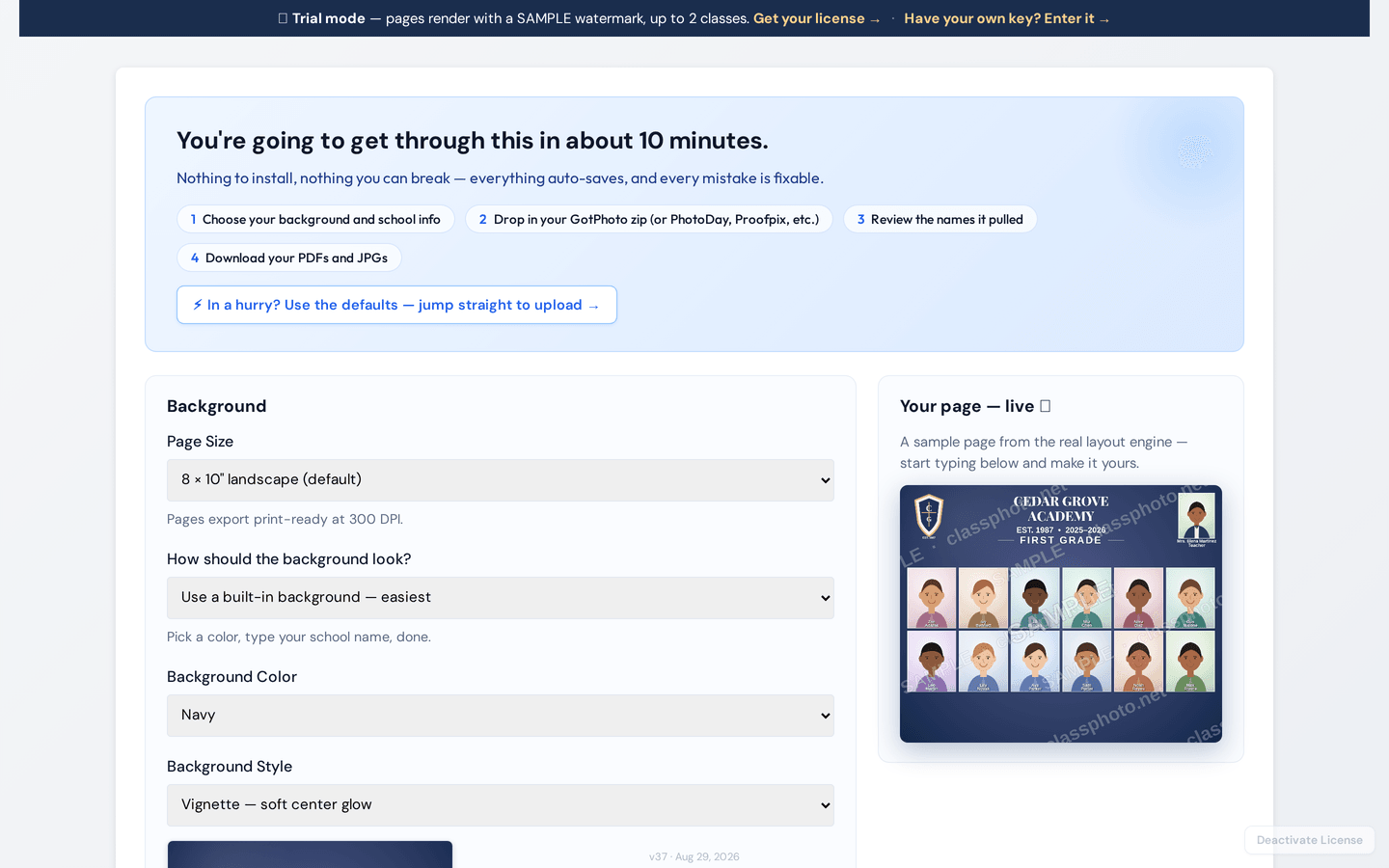
Both of these are the live app at classphotoapp.netlify.app running in trial mode.
Pricing
One price, unlimited composites.
No per-school fees, no per-composite limits, cancel any time.
ClassPhoto
$89/yr
Billed annually. Instant access.
Buy ClassPhoto, $89/year- Unlimited class composites
- Whole-school composite: every student on one extra page
- Custom and stock backgrounds
- Multiple print sizes
- Logo placement and six header spots
- GotPhoto zip import
- High-res JPEGs and PDF proofs
- Autosave and live preview
- Use on 2 computers
- All future updates
- Email support from the people who made it, usually within two business days
ClassPhoto Suite
$199/yr
Introductory price. Regular price $229/year.
All five tools, $315 bought separately.
- ClassPhoto, class composites
- ServiceStix, service stickers
- ClassPhoto IDs, ID cards
- Principal's Book, school directory
- List Fixer, roster cleanup
- Bonus: School Packs, free with the Suite
- Every future Suite tool
- One key, one renewal date
FAQ
ClassPhoto questions.
Is there a video walkthrough?
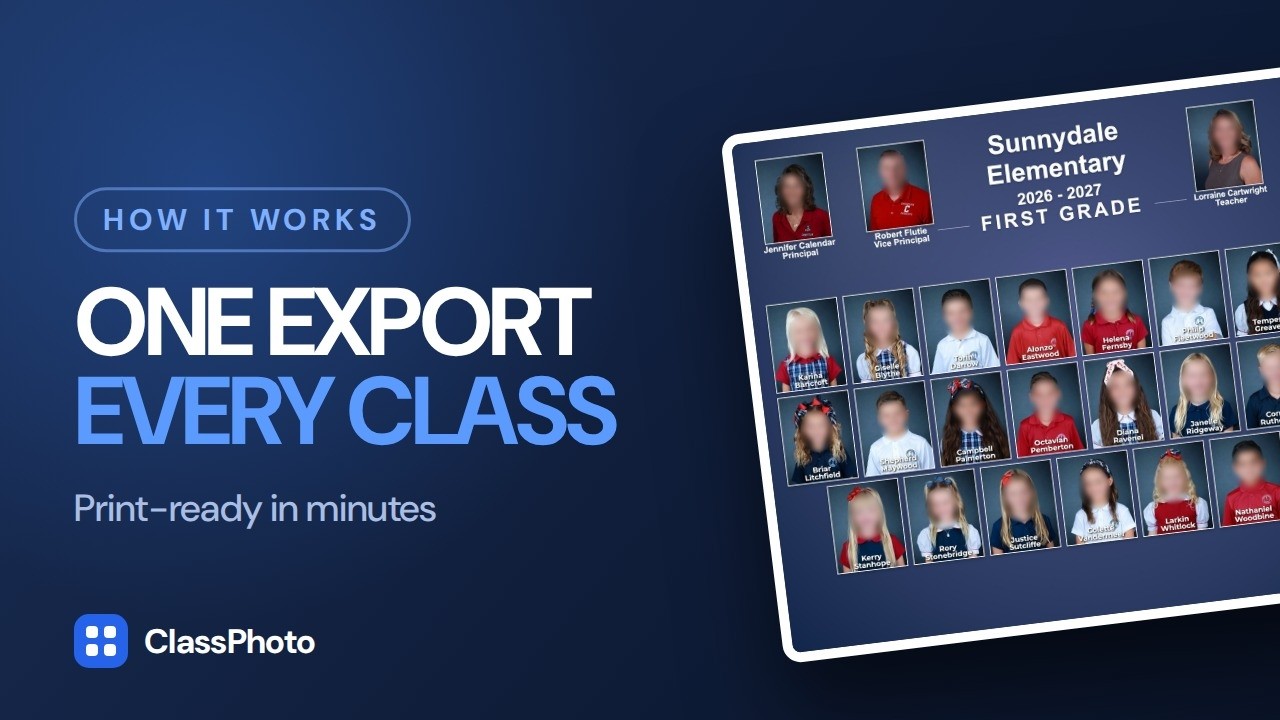
Yes, and it runs 3:28. It is the whole ClassPhoto workflow start to finish on a 25-class school of 547 students: page setup, the header slots, the export dropped in, a name flag fixed, a photo replaced, every class previewed, then the PDF and JPEGs. The school is a sample set: invented names, faces blurred on purpose. You can watch it above. There is also a 2:40 tutorial on exporting the zip from GotPhoto, and the other walkthroughs are on the videos page.
Can I try it before I buy?
Yes. Open the app, choose Try the sample on the license screen, and drop in your own GotPhoto zip. Sample mode runs the real app: every page renders with a SAMPLE watermark and the trial builds up to two classes. Enter a key and the watermark comes off.
Does ClassPhoto work on Mac?
Yes. ClassPhoto runs entirely in your web browser, so it works on Mac, Windows, Chromebook, or any other computer. There is nothing to download and nothing to install.
Do I have to use GotPhoto? Can I use my own files?
GotPhoto works out of the box. So does a PSPA or yearbook export: if the zip carries an INDEX.TXT or MASTER.TXT, ClassPhoto reads the names, grades, teachers and student IDs straight out of it and sorts the school itself, so the folder structure and the photo filenames stop mattering. That includes index layouts that are nothing like GotPhoto's, such as Captura Workflow's and Picaboo's, and index files burned on Windows (Windows-1252), saved as UTF-16, or with semicolons between the columns instead of tabs. PhotoDay's Service Item export works too, sorted by its loose Index.csv, and so does a plain folders-by-class export from Proofpix or most other systems.
Not sure? Send us a sample of your export structure and we will look at it before you buy.
How is it different from QComposite?
ClassPhoto is $89 a year instead of $149, runs in a browser instead of a desktop install, and lets you edit names, swap photos and remove students on the finished layout. QComposite pulls names from filenames, so a correction usually means renaming files and importing again.
The full comparison goes feature by feature, including where QComposite is the better fit.
Are student photos uploaded anywhere?
No. The zip is unpacked on your computer, the composites are drawn on your computer, and the finished files save to your computer. The only thing the app sends is your license key, to Lemon Squeezy, to check that it is valid.
Can I generate PDF proofs for the school?
Yes. Generate builds every class at once and puts a single multi-page PDF of the whole batch in the export zip, beside the JPEGs; the finish screen has a PDF-only button when that is all you want to send. Mail it to the office for a name check and sign-off before anything goes on paper. It is the 300 DPI print file rather than a light proof copy, so a whole school runs to tens of megabytes: for a big job send a Drive or Dropbox link, or just the one class page the office is asking about.
More questions are answered in the main FAQ, or write to us and a real person will answer.
The rest of the Suite
ServiceStix
$49/year
Print-ready service sticker sheets, a whole school in minutes.
ClassPhoto IDs
$59/year
CR80 student and staff ID cards with barcodes that actually scan.
Principal's Book
$79/year
The bound whole-school directory the front office keeps on the counter.
List Fixer
$39/year
The school's messy roster spreadsheet, turned into one clean row per student for GotPhoto.
All five together: ClassPhoto Suite, $199/year introductory.
Also from our studio: Ruler, a separate Mac app that batch-crops a picture day so every face comes out the same size. It has its own license and is not part of the Suite.