ServiceStix · $49 a year
Service stickers for a whole school,
in minutes.
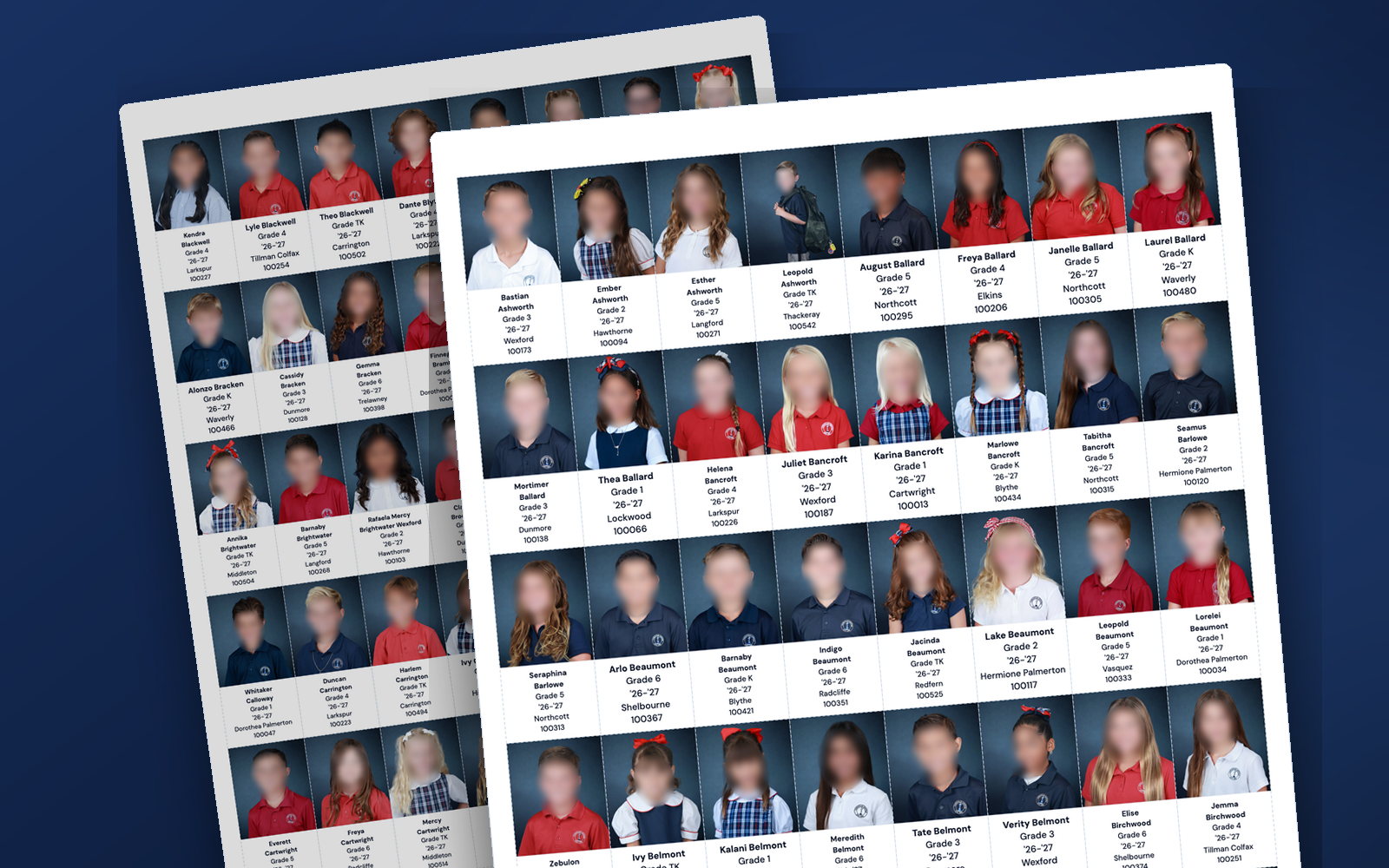
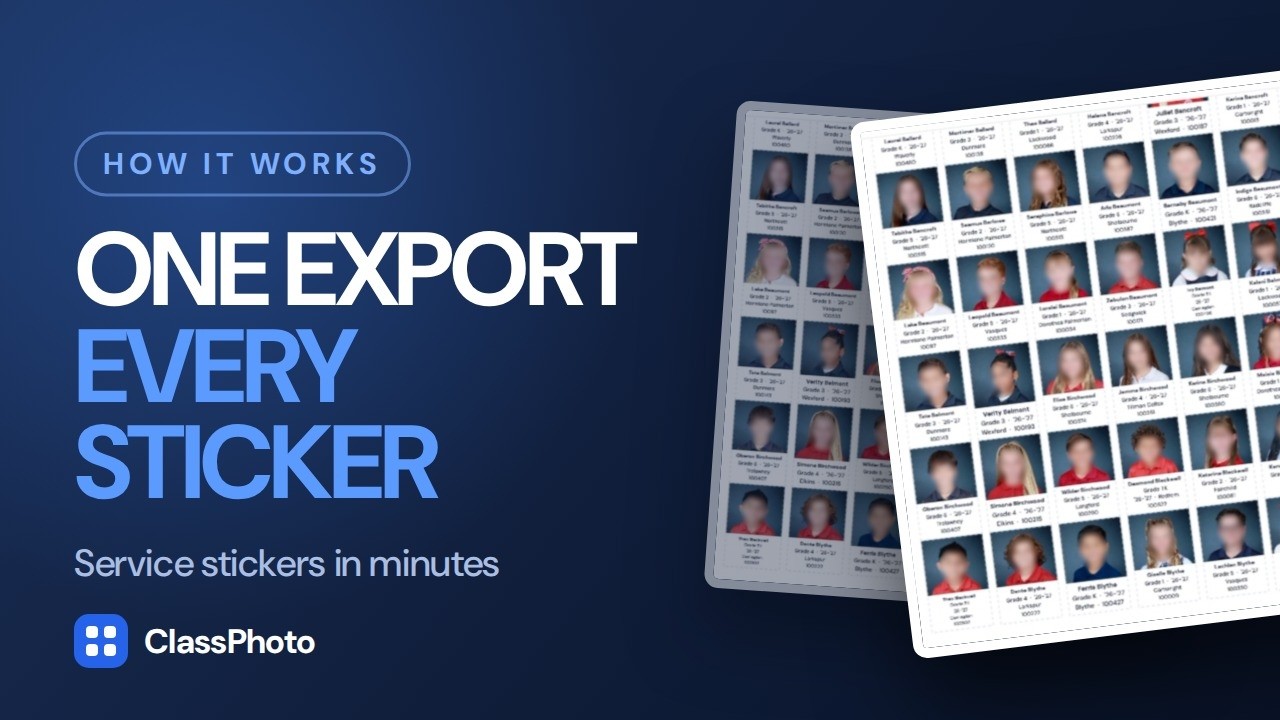
Schools order photo service stickers every year: one sticker per student with their photo, name, grade and teacher. ServiceStix takes the export you already downloaded, lays out every student on the label sheets the office already buys, and hands you a single print-ready PDF.
$49 a year. Unlimited sticker sheets. Use on 5 computers. Free sample mode: the real app on your real export, SAMPLE watermark on every label.
Want to try one first? Every ClassPhoto tool includes a free sample mode. No account needed.
Sample output carries a SAMPLE watermark. Already licensed? The same links open your app.
What it does
The sticker order, without the spreadsheet evening.
Labs call them service items; the office calls them service stickers or record stickers. ServiceStix reads the same export the rest of the Suite reads: a PSPA or yearbook export with its index file, an Excel or CSV roster zipped in with the photos, GotPhoto's grade and teacher folder structure, or plain files named the way the app shows you. Student names, grades and teachers fill in on their own.
You choose which fields go on the sticker and in what order, drag them around, and watch a sticker redraw at actual print size as you go. Pick a sort order so the sheets come off the printer in the order the office wants to hand them out.
Then you get one PDF, sized to the exact label sheet you bought: Chromalabel CAL01143 (49 per sheet), Avery 94084 (40 per sheet), Labels by the Sheet (36 per sheet), or OfficeSmartLabels LWS032-1-S (32 per sheet). Load the sheet normally and print.
The first three are portrait stickers, photo on top and text underneath. The OfficeSmartLabels label is wider than it is tall, so that sticker puts a full 4:5 portrait on the left and one line per field beside it.
ServiceStix works entirely on its own. You do not need a ClassPhoto license to use it.
The workflow
Configure, drop the zip, print.
The whole thing runs in your browser. Photos never leave your computer.
Configure
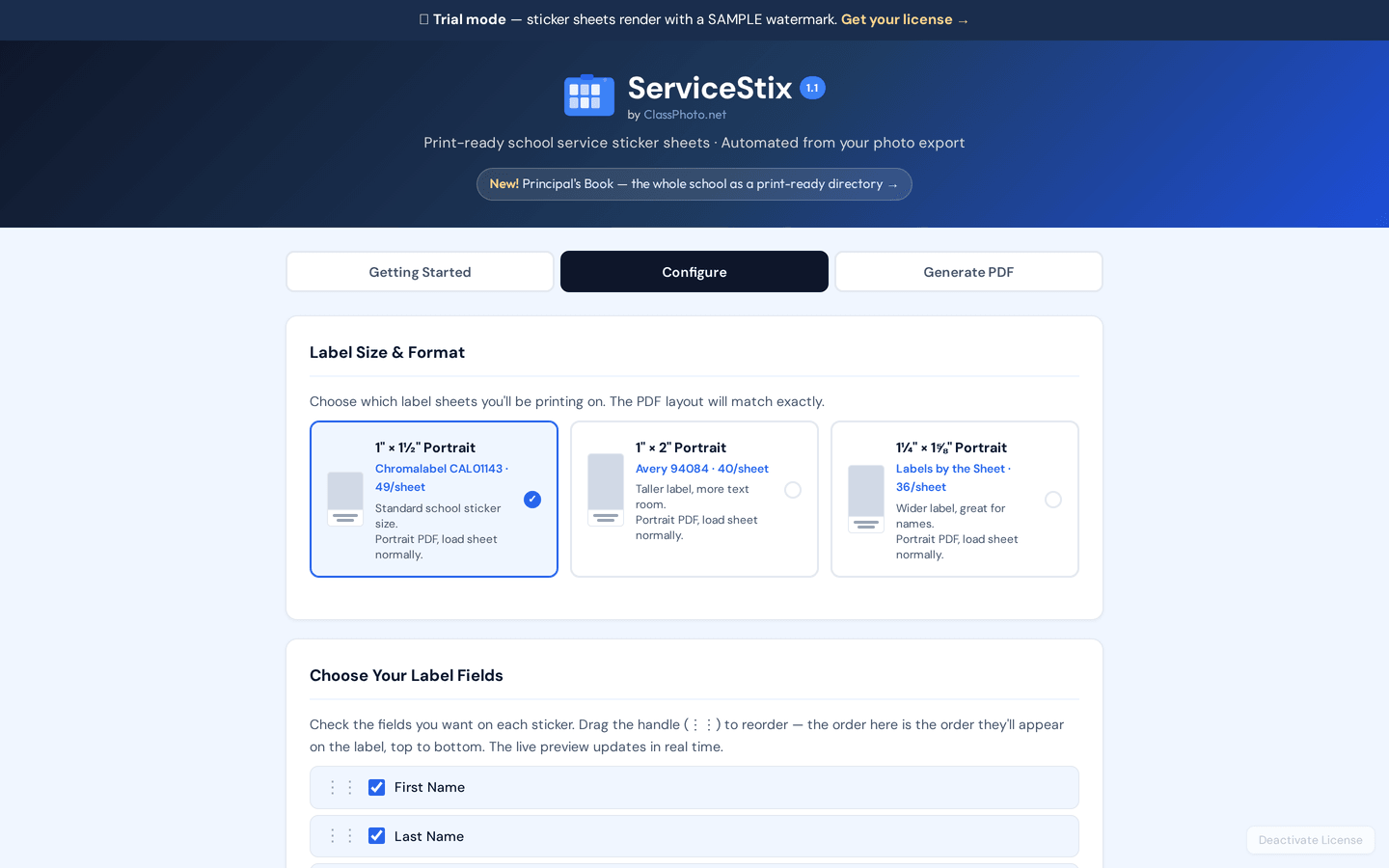
Choose your label size and format, tick which fields appear on each sticker, drag them into the order you want, and set the school year.
Drop in your export
A PSPA or yearbook export with its index file, an Excel or CSV roster zipped in with the photos, GotPhoto's grade and teacher folders, or files named the way the app shows you.
Preview and print
Review every sheet on screen, then download one print-ready PDF sized exactly for the label sheet you bought.
Features
What ServiceStix does.
One job, done properly, for the price of a couple of label packs.
Four label formats
Chromalabel CAL01143 at 49 a sheet, Avery 94084 at 40 a sheet, Labels by the Sheet at 36 a sheet, and OfficeSmartLabels LWS032-1-S at 32 a sheet. The PDF matches the sheet exactly.
PSPA and yearbook index import
Drop in an export with an Index.txt and the names, grades and teachers come with it.
GotPhoto folder import
Grade and teacher folder structures are read directly, including combined names like 01_Mrs_Smith.
Pick and reorder your fields
First name, last name, grade, teacher, school year, student ID. Tick them, drag them, and the sticker updates as you watch.
Live label preview
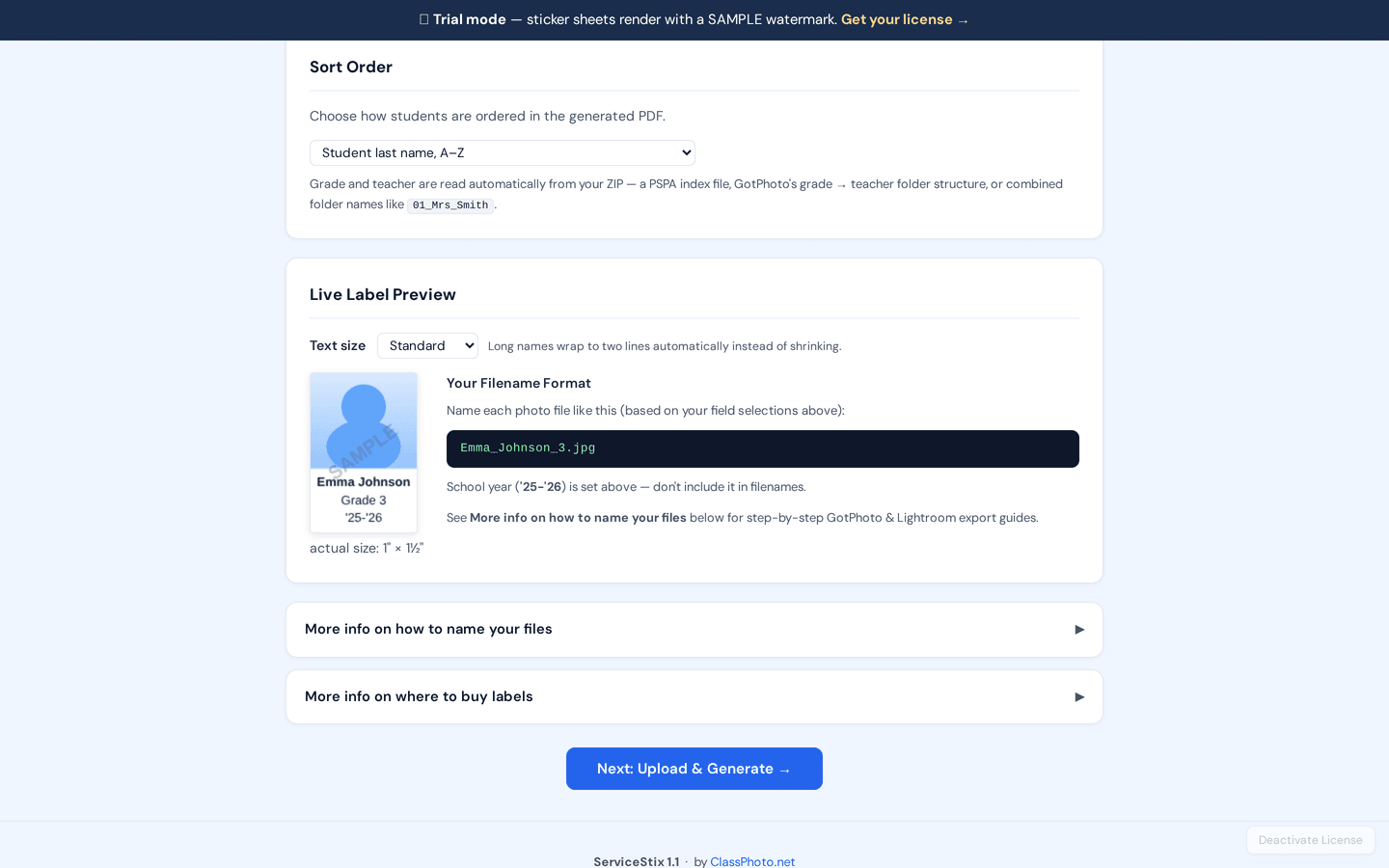
A sticker renders at actual printed size, so you can see whether a long name still reads before you buy toner.
Long names handled
Names that do not fit wrap onto two lines instead of shrinking to nothing.
Sort order you choose
By student last name, by grade, or by class, so the sheets come off the printer in the order the office wants.
Runs in the browser
Mac, Windows, Chromebook. No install, and student photos never leave your machine.
One print-ready PDF
The whole school in one file, every sheet previewed before you commit paper to it.
Use on 5 computers
One key covers the studio machine, the laptop and the one in the back room.
Screenshots
The app, on real sample data.
Both of these are the live app at classphotoapp.netlify.app running in trial mode.
Pricing
One price, unlimited sheets.
No per-school fees, no per-sticker limits, cancel any time.
ServiceStix
$49/yr
Billed annually. Instant access.
Sold separately from ClassPhoto.
- Unlimited service sticker sheets
- Photo plus name, grade, teacher, year and ID
- PSPA and yearbook index import
- GotPhoto folder-structure import
- Four label formats
- On-screen sheet preview before you print
- Sort by name, grade, or class
- Photos never leave your browser
- Use on 5 computers
- All future updates
ClassPhoto Suite
$199/yr
Introductory price. Regular price $229/year.
All five tools, $315 bought separately.
- ClassPhoto, class composites
- ServiceStix, service stickers
- ClassPhoto IDs, ID cards
- Principal's Book, school directory
- List Fixer, roster cleanup
- Bonus: School Packs, free with the Suite
- Every future Suite tool
- One key, one renewal date
FAQ
ServiceStix questions.
Is there a video walkthrough?
Yes, and it runs 2:21. It starts inside GotPhoto with the PSPA download, and the app itself begins at 1:05: choose the fields, pick a label template, preview every sheet and download the print-ready PDF. You can watch it above, and the other walkthroughs are on the videos page.
Can I try it before I buy?
Yes. Open the app, choose Try the sample on the license screen, and drop in your own export. Sample mode runs the real app on your real files; every label carries a SAMPLE watermark until you enter a key.
Do I need ClassPhoto to use ServiceStix?
No. ServiceStix is sold separately and works completely on its own. Most school photographers end up wanting both, because the same export goes into each: composites out of one, sticker sheets out of the other.
Which label sheets should I buy?
Any of the four the app supports: Chromalabel CAL01143 (1 inch by 1.5 inches, 49 per sheet), Avery 94084 (1 inch by 2 inches, 40 per sheet), Labels by the Sheet 1 1/4 x 1 5/8 (1.25 by 1.625 inches, 36 per sheet), or OfficeSmartLabels LWS032-1-S (1.75 by 1.25 inches, 32 per sheet). The app has a panel with links and part numbers.
The first three are portrait stickers: pick the taller or wider sheet if your school has long names or you want teacher and grade on every sticker. The OfficeSmartLabels label is wider than it is tall, so its sticker puts the photo on the left and the text beside it, one line per field. If that is the sheet your schools already know, keep using it.
What if my export is not from GotPhoto?
ServiceStix reads a PSPA or yearbook export with an index file, an Excel or CSV roster zipped in with the photos, GotPhoto's folder structure, or plain files you have named yourself in the format the app shows you. It reads every roster file in the zip, not just one: an Index.txt with no student ID column and the Student_data spreadsheet that has them come in together. If yours is something else, send us a sample through the contact form and we will tell you honestly whether it will work. If you want to know what a PSPA export actually contains, read PSPA Index.txt explained.
Are student photos uploaded anywhere?
No. The zip is unpacked in your browser, the sheets are drawn in your browser, and the PDF saves to your computer. The only thing the app sends anywhere is your license key.
Is this the same as service strips?
No. Service strips are photo strips printed by a lab on photographic paper. ServiceStix makes peel-and-stick sticker sheets you print yourself on standard label sheets, one photo, name, grade and teacher per sticker, for the same cumulative folders and records.
More questions are answered in the main FAQ, or write to us and a real person will answer.
The rest of the Suite
ClassPhoto
$89/year
Class composites and full-school composites from your export.
ClassPhoto IDs
$59/year
CR80 student and staff ID cards with barcodes that actually scan.
Principal's Book
$79/year
The bound whole-school directory the front office keeps on the counter.
List Fixer
$39/year
The school's messy roster spreadsheet, turned into one clean row per student for GotPhoto.
All five together: ClassPhoto Suite, $199/year introductory.
Also from our studio: Ruler, a separate Mac app that batch-crops a picture day so every face comes out the same size. It has its own license and is not part of the Suite.