Principal's Book · $79 a year
The book the front office
keeps on the counter.
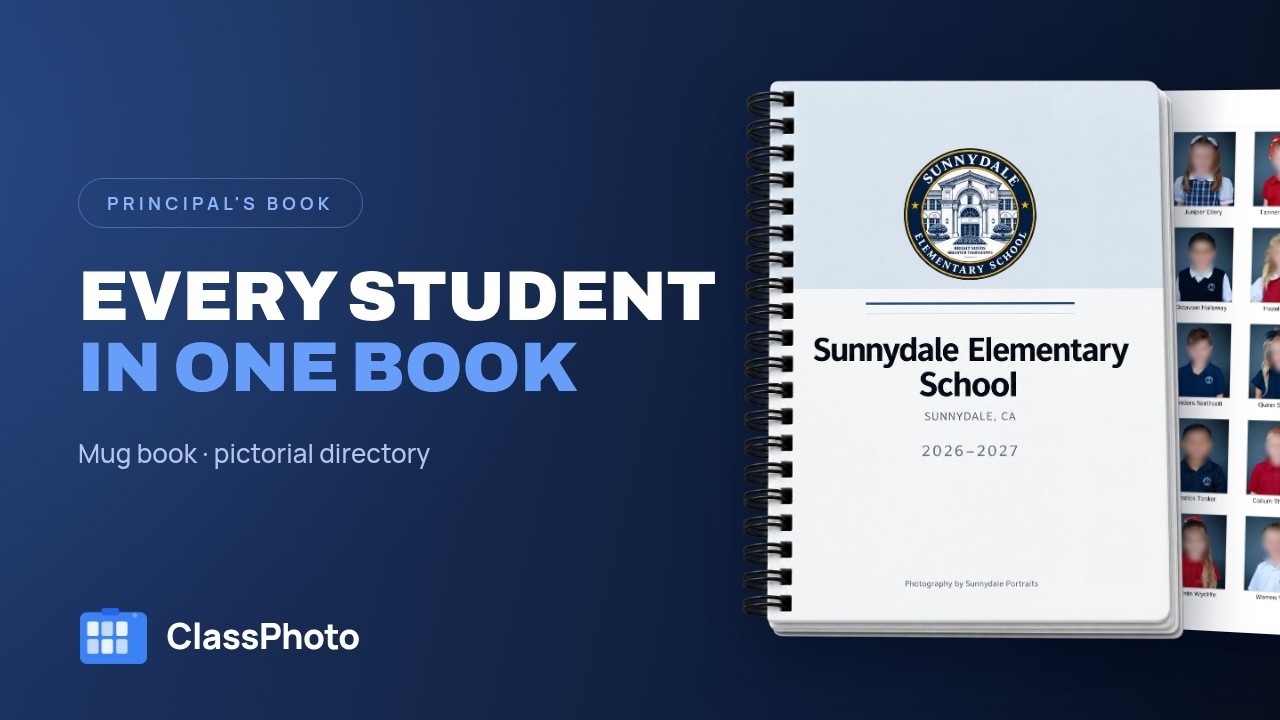
Every school has one: a bound directory with every student and every staff member in it, opened forty times a day. Some schools call it the principal's book, some the mug book or the pictorial directory. The Principal's Book builds it from the export you already have, sized and gutter-set for the binding you are actually going to order.
$79 a year. Unlimited books and unlimited schools. Instant access. Free sample mode opens a 200-person sample school, or drop in your own export; every page carries a SAMPLE watermark.
Want to try one first? Every ClassPhoto tool includes a free sample mode. No account needed.
Sample output is marked SAMPLE; ClassPhoto's trial also loads just two classes, and List Fixer's downloads hold the first ten students. Already licensed? The same links open your app.
What it does
A real book, not a contact sheet.
Drop in the export and the app builds an ordered book: front cover, title page, class pages, staff and back cover. Contents with dot leaders, section dividers, a Not Pictured page and a whole-school index are each one checkbox away on the Design step, under What the book contains, because a fresh book is the lean one the front office usually wants. Turn on the contents or the index and they change their own page counts, which changes every page number in them, so the book is assembled over and over until the numbers stop moving.
The binding is not a label. Picking coil, comb, saddle stitch, perfect binding or a 3-ring binder sets the gutter and the page-count rule: saddle stitch folds in fours and starts misaligning past about 48 pages, perfect binding needs about 60 pages before a spine can hold glue, and only perfect binding gets spine fields at all. A spine block on a coil cover is a reprint.
Nobody is silently dropped. No roster row is ever discarded for being incomplete. Pre-flight walks the whole school and blocks the export if any person is on no page at all. An ambiguous photo match blocks too, because printing a guess puts one child's face under another child's name and nobody catches it until the books are in the boxes.
Names are never clipped. Captions are fitted against the metrics of the face the PDF will actually be set in, stepping through the full name, a middle initial, a dropped middle name, an abbreviated hyphenated surname, then quarter-point sizes and tighter tracking, and nothing is ever ellipsised, broken mid-word or squeezed. If one name in the school cannot hold one line, every caption in the book goes to two lines, and a name that still will not fit at the smallest legal setting is held by pre-flight, named child by child, to shorten or to give a roomier density before the book prints.
What it never reads. Addresses, phone numbers, birthdays, parent and guardian names, and medical or allergy fields are skipped on the way in. They are not mapped, not stored, and cannot reach a page.
The workflow
Five steps to a print file.
Everything runs in your browser. The demo school comes out at 16 pages and about 1.8 MB.
School setup
Name, year, city, motto, logo, photographer credit, and the physical book: page size, binding, single or double sided, Helvetica or Times.
Import
Drop the whole export at once: a zip, a folder, or loose files, roster and portraits together. CSV, TSV, semicolon files, XLSX and the PSPA Index.txt family.
Organize
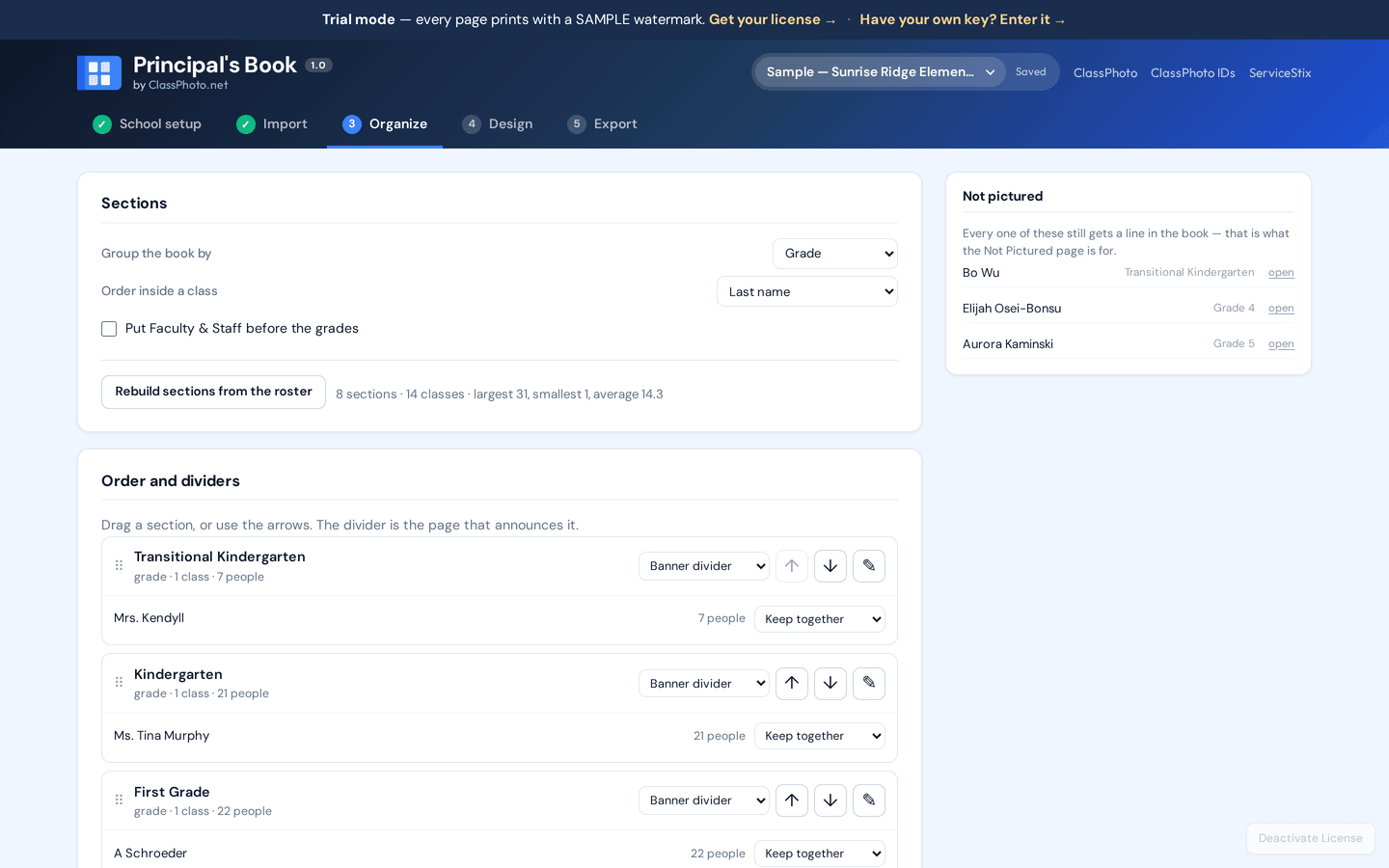
How the book is sectioned, the order inside a class, teacher-name spellings, section order, and every exception in one place: no photo, no person, ambiguous, duplicate, low resolution.
Design
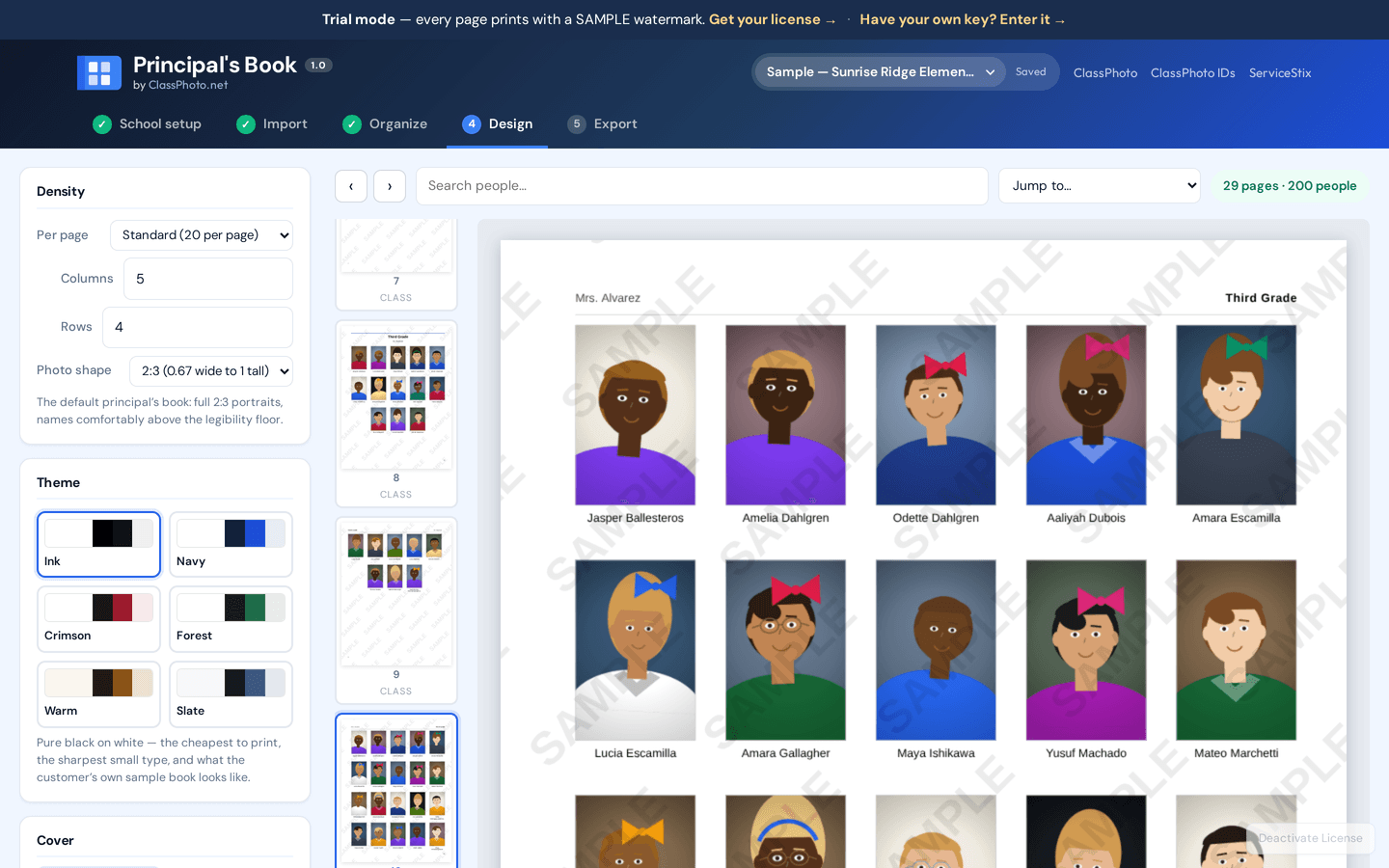
Density, theme, cover, what goes under each photo, and print options, against a live preview of any page with a search box and jump-to shortcuts.
Export
Pre-flight, then the 300 dpi print PDF and a proof PDF for the school to check names against.
Features
What the Principal's Book does.
The details that decide whether a book comes back from the printer usable.
Every block a book needs
Front cover, title page, class pages, staff and back cover in a fresh book, with contents, section dividers, Not Pictured and a whole-school index a checkbox each. Each one knows how to paginate itself.
Page sizes and bindings
Letter, A4, half letter and more. Coil, comb, saddle stitch, perfect and 3-ring, each setting its own gutter and page-count rule.
Sectioned how the school thinks
By grade, by teacher, by department, or one A to Z list. Staff get their own section, sorted by department, and never join a grade.
Five cover recipes, six themes
Classic, Feature photo, Crest lockup, Color field and Photo window, in Ink, Navy, Crimson, Forest, Warm or Slate. A spine is drawn only for a perfect-bound book.
Contents and index that add up
Contents with dot leaders, an index without them, and page numbers reassembled until they stop moving.
Photos never distorted
Every frame and its source rectangle share an aspect ratio by construction, with a face-aware crop and per-person manual crops that survive next week's re-import.
Not Pictured is a page, not an omission
Every roster row with no matched photo is listed, grouped by class. Turning that page off while someone needs it is a blocking error, not a preference.
Personal data left at the door
Addresses, phone numbers, birthdays, guardian names and medical fields are never mapped, never stored and cannot reach a page.
A small, sharp PDF
Every name, folio, rule and dot leader is a drawing operator rather than pixels. Only the photographs are rasterized, so the file stays selectable and searchable.
Pre-flight and a proof
Blocking checks for anyone on no page, an ambiguous photo match, a barcode that will not decode back to its own ID, a placed photo under 250 PPI, a name that will not fit at the smallest legal setting, or a page count that will not fold on the chosen binding.
Screenshots
The app, on real sample data.
Both of these are the live app at classphotoapp.netlify.app, loaded with its sample school: 200 people, nine classes and five staff departments, with a roster that is deliberately nasty.
Pricing
One price, unlimited books.
No per-school fees and no page limits. Cancel any time.
Principal's Book
$79/yr
Billed annually. Instant access.
Sold separately, or in the Suite.
- Unlimited books
- Every page size and binding
- Contents, index and Not Pictured
- Five cover recipes, six themes
- Section dividers as banners or full pages
- Face-aware and manual crops
- 300 dpi print PDF
- Proof PDF for the school
- Save the school as a profile
- All future updates
ClassPhoto Suite
$199/yr
Introductory price. Regular price $229/year.
All five tools, $315 bought separately.
- ClassPhoto, class composites
- ServiceStix, service stickers
- ClassPhoto IDs, ID cards
- Principal's Book, school directory
- List Fixer, roster cleanup
- Bonus: School Packs, free with the Suite
- Every future Suite tool
- One key, one renewal date
FAQ
Principal's Book questions.
Is there a video walkthrough?
Yes, and it runs 2:48. It builds a whole book start to finish: the school's name, logo and photographer credit, the physical book (page size, binding, one side or two, the font), a PSPA export imported, the classes organized by teacher or by grade, a cover color and style chosen, and the PDF exported. Then one student turns out to have the wrong photo, so it is replaced from the Design step and the PDF is exported again. You can watch it above, and the other walkthroughs are on the videos page.
Is this a mug book?
Yes. Mug book, pictorial directory, admin book, student photo directory and principal's book are different names for the same deliverable: every student and staff member, one photo and one name each, bound for the office. The Principal's Book builds that from your export, and it reads the same PSPA Index.txt a lab would (explained here).
Can I try it before I buy?
Yes. Open the app and choose Try the sample on the license screen. It loads a sample school: 200 people, nine classes and five staff departments across eight sections. The roster is deliberately nasty, because a demo that only shows the easy case teaches the wrong lesson about the book you are about to print. Every page and every export carries a SAMPLE watermark until you enter a key.
What binding should I order?
Whatever the school will actually use. Coil lies flat on a counter and is the usual answer. Saddle stitch is cheap but starts misaligning running heads past about 48 pages. Perfect binding needs about 60 pages before a spine can hold glue, and it is the only binding that gets a printed spine.
The app knows all of that. Pick the binding and it sets the gutter and blocks an export whose page count will not fold.
Does it print addresses or phone numbers?
No, and it cannot. Addresses, phone numbers, birthdays, parent and guardian names, and medical and allergy fields are skipped on the way in. They are never mapped and never stored, so they cannot reach a page. There is a section of the test suite that exists only to prove it.
What happens to students with no photo?
They go on the Not Pictured page, grouped by class, because the alternative is a silent omission. Pre-flight blocks the export if any person would end up on no page at all.
How big is the finished file?
Small. Text, rules and dot leaders are drawing operators, not pixels, and only the photographs are rasterized. The sample school comes out at 16 pages and about 1.8 MB, or 29 pages and 2.4 MB with the contents, dividers, Not Pictured list and index switched on, and every caption is still selectable and searchable.
More questions are answered in the main FAQ, or write to us and a real person will answer.
The rest of the Suite
ClassPhoto
$89/year
Class composites and full-school composites from your export.
ServiceStix
$49/year
Print-ready service sticker sheets, a whole school in minutes.
ClassPhoto IDs
$59/year
CR80 student and staff ID cards with barcodes that actually scan.
List Fixer
$39/year
The school's messy roster spreadsheet, turned into one clean row per student for GotPhoto.
All five together: ClassPhoto Suite, $199/year introductory.
Also from our studio: Ruler, a separate Mac app that batch-crops a picture day so every face comes out the same size. It has its own license and is not part of the Suite.