From our picture days · 16 September 2026
The sticker sheet we use
instead of QR codes.
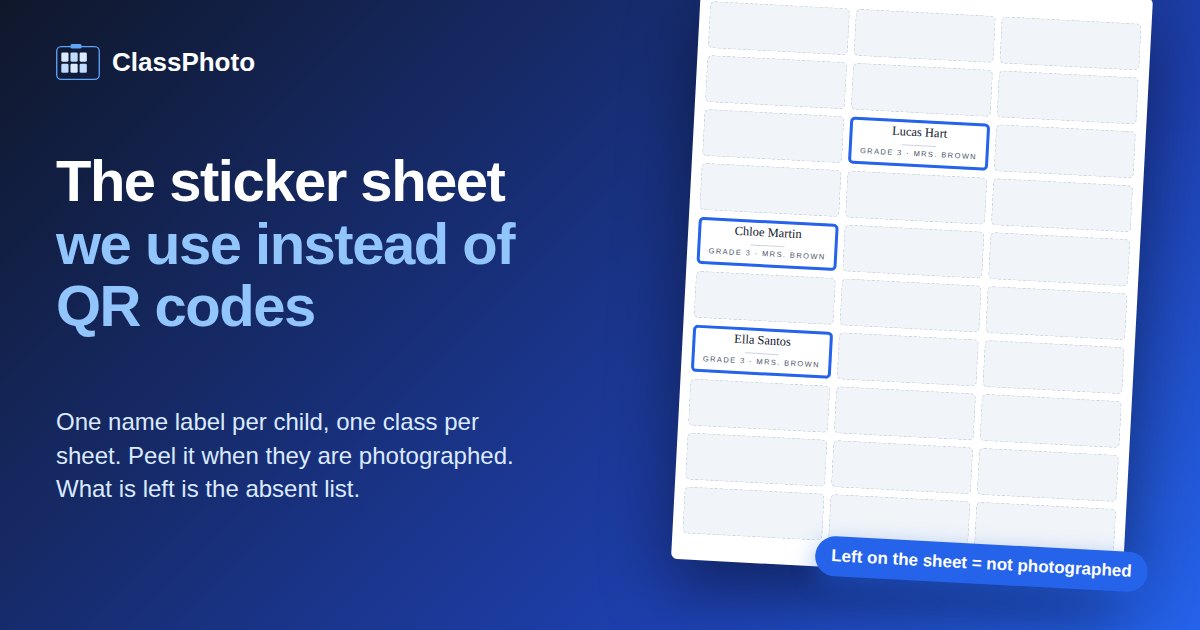
One name label per child, one class per sheet. The teacher puts the label on each child's hand as they arrive, the photographer taps that name in Entagged at the camera, and the label goes in the trash when they are done. Whatever is still on the sheet when the class walks out is the absent list. That is the whole system, and it has quietly fixed three picture-day problems for us at once.
By Amy Gray, Patriot Photo Collective, San Diego.
The problem
Three questions, all day long.
Picture day at an elementary school is four hundred children in twenty classes, moving through a gym in a line. All day, the same three questions come up: has this child been photographed yet, who in this class was absent, and, for every frame, whose name goes with it.
We started, like most people, by asking. It does not work. A five-year-old in a line says their name once, quietly, and half the time it is a name we had never heard or a spelling we would never have guessed. Ask them to spell it and you have lost the line, and a name we could not hear was a name we could not find in Entagged. So the roster might as well come to the camera, one child at a time.
A lot of studios answer all three questions by shooting a QR code for every child. A card gets printed, the child holds it up for one frame, the software reads the code and matches the frames that follow. It works, and if it works for you, keep doing it. We do it differently, and photographers ask us about it often enough that it is worth writing down.
What we do instead
One label per child, one class per sheet.
Before picture day
We print a sheet of Avery 5160 name labels for every class from the roster the school sent: the child's name set large, the grade and teacher small underneath, thirty to a sheet, sorted by last name. Every class starts on a fresh sheet, so a class of 31 takes two sheets and the next class never begins halfway down a page.
As the children arrive
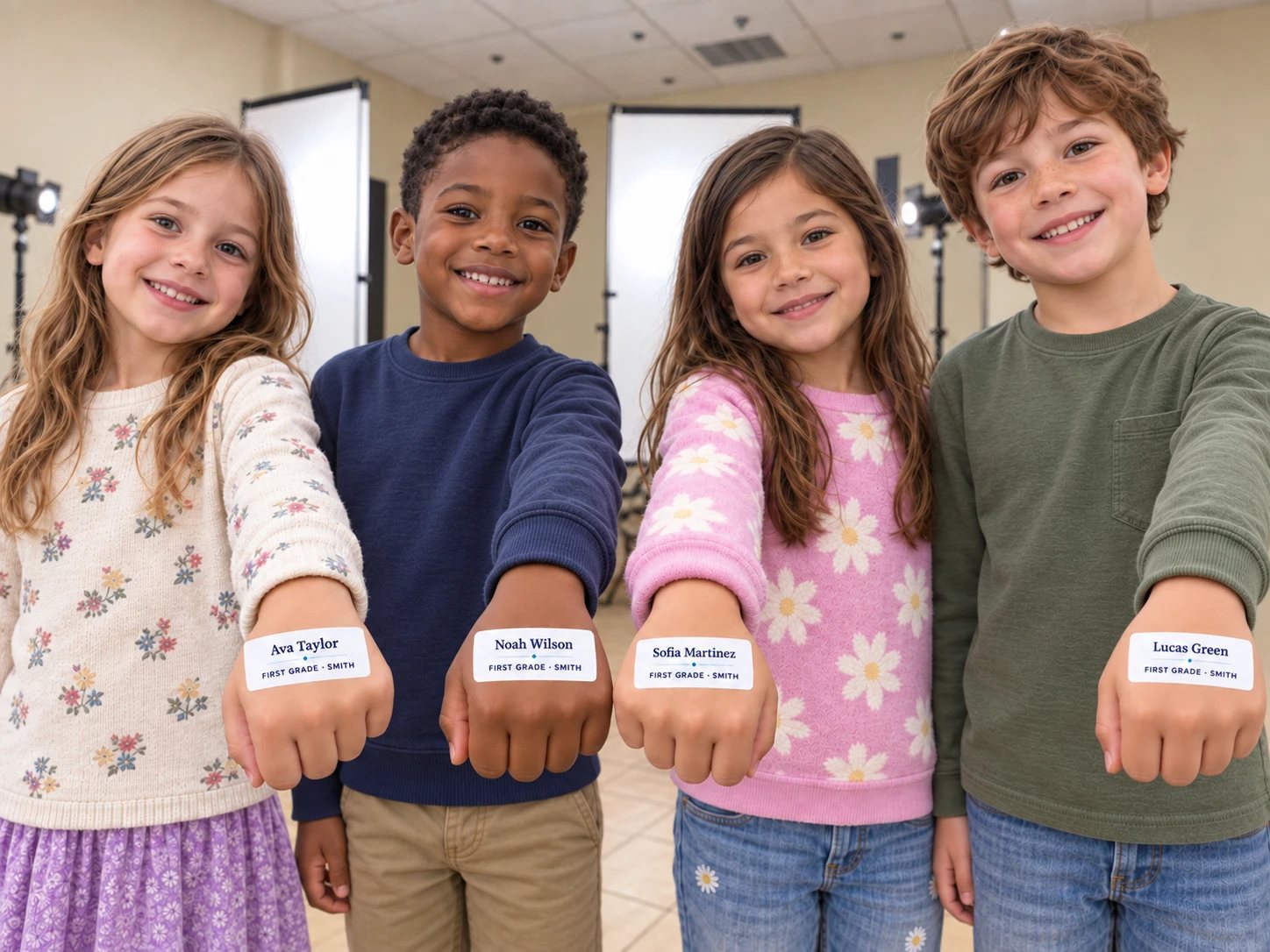
Each class's sheet comes to the camera with the class, and the teacher hands out the labels as the children arrive: each child's label goes onto the back of their hand, or onto their back for preschool, where small hands cannot get at it. A child with a label on is ready to be photographed, and the line sorts itself out. Nothing for the child to hold up, nothing to scan, no extra frame at the start of every sequence.
At the camera
When the child steps up, the photographer reads the name off the sticker, finds it in Entagged on the phone and taps it, and Entagged writes the child's name into the metadata of the shots as they are taken. We know it is spelled right and has the right last name, because it came off the roster, not out of a five-year-old's mouth. There is no matching session afterwards. When the child is done, the label comes off and goes in the trash; its job is finished.
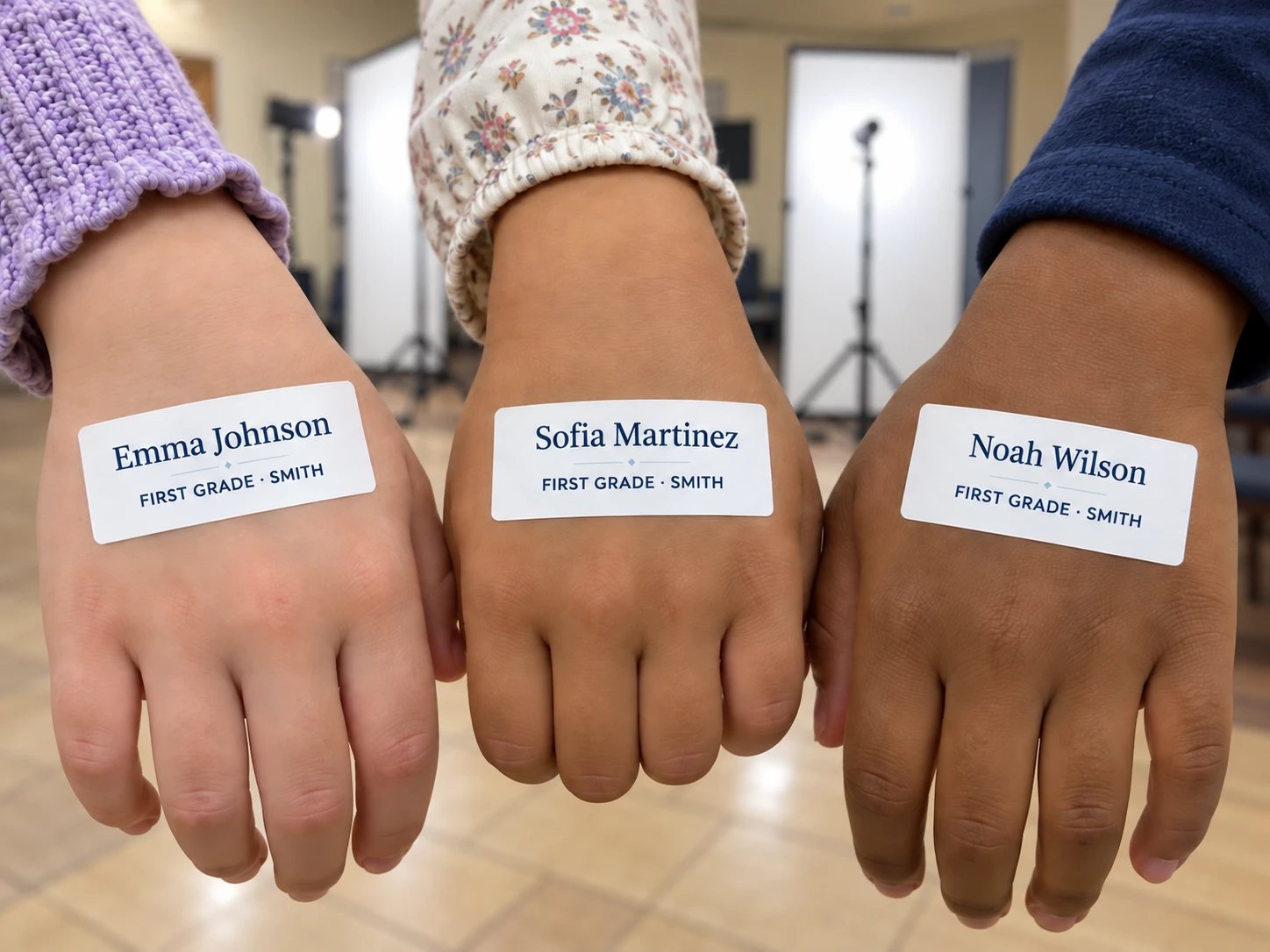
On days with two stations per child, one for the standing shot and the headshot and one for a prop or seated shot, the child carries the label from the first station to the second, so the second photographer reads the same name and taps the same student.
When the class leaves
Whatever is still stuck to the teacher's sheet is the list of children who were not photographed. Nobody cross-checks a roster or counts heads; the sheet is the absent list, in the school's own spelling, ready for the retake day.
Why we like it
A checklist you can see from across the gym.
- Nobody has to ask a five-year-old to spell their name. The label carries the name the way the school spelled it, unusual names and unusual spellings included, and that is the name that goes into the file.
- The absent list makes itself. Labels left on the sheet at the end of the class are the retake list. There is no separate step where that list gets made, and no step where it gets made wrong.
- Nothing to shoot, hold or scan. A kindergartner does not have to hold a card the right way up for a frame that is not a portrait. The label rides on their hand and goes in the trash at the end.
- It is paper, and the teacher runs it. Handing out the labels takes the teacher a minute, it works when the Wi-Fi does not, and "who is missing?" gets answered by pointing at the sheet.
- The name is right in the file, at the camera. Entagged embeds it in the metadata as the shots are taken, from the sticker, spelled the way the school spelled it. There is no matching session afterwards.
- It comes from the roster you already cleaned. The sheets are a by-product of the file you have to prepare anyway.
How to print them
Any label mail merge works. Ours is one click.
The label sheet is Avery 5160, the ordinary 30-up address label: three across, ten down, one inch by two and five-eighths. Any mail merge that can print to 5160 can make these from a roster spreadsheet. Sort by class, then by last name, and start every class on a new page so you can pull one classroom off the printer at a time.
We built the sheets into List Fixer because we were already using it to turn the school's spreadsheet into a clean GotPhoto names list, and the labels come from the same clean rows. Drop the roster in, fix the handful of questions it asks, and the download screen offers the GotPhoto file and the label sheets side by side, one class per sheet. Print with margins set to none and scale at 100% so the grid lands on the die-cut.
Try it on your own roster for free: the sample mode runs the whole file on screen and prints the first ten students, marked SAMPLE, so you can check the alignment on your printer before you buy anything.
One more thing
If you do it another way, tell us.
This is what works for two photographers, a few schools a week, in a gym with a line out the door. If your studio tracks picture day some other way and it works, we would genuinely like to hear it: write to us. We built the ClassPhoto Suite for the week after picture day; this sheet is how we get through the day itself.
The tools this came out of
List Fixer
$39/year
The school's roster, cleaned into one row per student for GotPhoto, with the label sheets on the same download screen.
ClassPhoto
$89/year
Class composites and a whole-school composite from the GotPhoto export.
ServiceStix
$49/year
Service sticker sheets, one photo sticker per student, on the label sheets the office already buys.
Video walkthroughs
Free
Short screen recordings of the tools running on real files.
All five together: ClassPhoto Suite, $199/year introductory.
Also from our studio: Ruler, a separate Mac app that batch-crops a picture day so every face comes out the same size. It has its own license and is not part of the Suite.